
Introduction — What Is a VPN and Do I Need One in 2026?
Here is a fact that should make you think twice about your internet connection:
Every single website you visit, every search you make, and every file you download is being tracked — by your ISP, advertisers, hackers on public Wi-Fi, and in some cases your own government.
This is exactly why millions of people every day ask the same question: what is a VPN and do I need one?
The short answer is yes — in 2026 almost everyone who uses the internet benefits from having a VPN. But the full answer is more nuanced than that — and understanding exactly what a VPN does, how it works, and whether you specifically need one is what this complete guide is all about.
What is a VPN and do I need one? A VPN — Virtual Private Network — is a technology that encrypts your internet connection and hides your online activity from your ISP, hackers, advertisers, and anyone else trying to monitor what you do online.
At FutureCyber.it we have put together the most complete and up-to-date answer to the question what is a VPN and do I need one — covering how VPNs work, who needs one, the top 7 reasons to use one, the disadvantages of using a VPN, and the best VPN options available in 2026.
Let us get straight into it.
Table of Contents
What Is a VPN? — The Simple Explanation
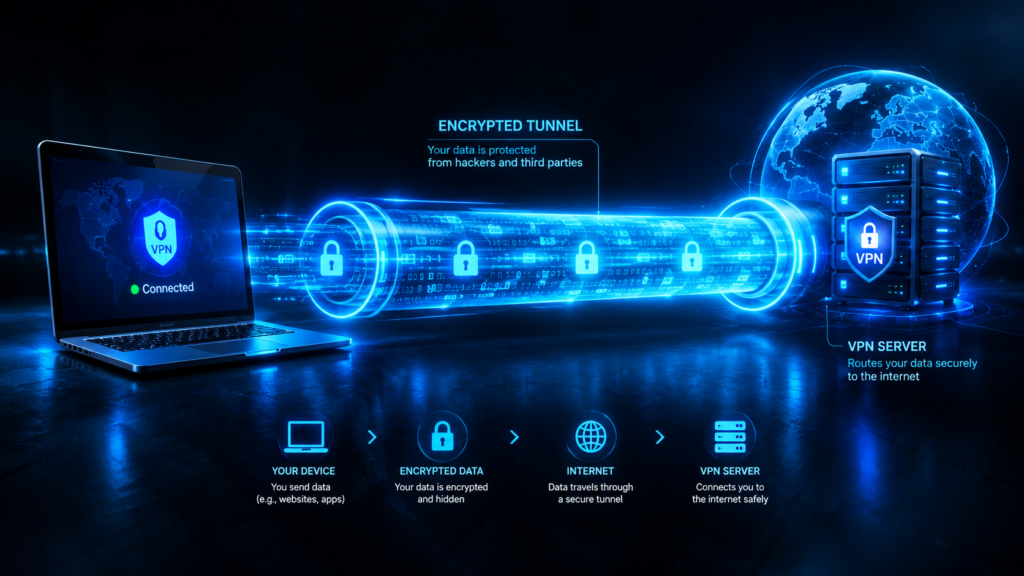
What is a VPN? A VPN — Virtual Private Network — is a service that creates a private, encrypted tunnel between your device and the internet. Instead of your internet traffic going directly from your device to websites, it first passes through a VPN server that masks your real IP address and encrypts everything you send and receive.
Think of it like this — without a VPN your internet connection is like sending a postcard. Anyone who handles it can read exactly what is on it. With a VPN your connection becomes a sealed, locked envelope that only the intended recipient can open.
| Without VPN | With VPN |
|---|---|
| Your ISP sees everything you do | Your ISP only sees encrypted data |
| Your real IP address is visible | VPN server IP shown instead |
| Hackers on public Wi-Fi can intercept | All data is encrypted end-to-end |
| Advertisers track your activity | Browsing activity is hidden |
| Geographic restrictions apply | Access content from any country |
| Government can monitor traffic | Traffic appears as encrypted noise |
How Does a VPN Work? — Technical Explanation Made Simple
Understanding how a VPN works helps you make better decisions about when and why to use one.
When you connect to a VPN:
| Step | What Happens |
|---|---|
| Step 1 | You open your VPN app and connect to a server |
| Step 2 | VPN app encrypts all your internet traffic before it leaves your device |
| Step 3 | Encrypted traffic travels to the VPN server |
| Step 4 | VPN server decrypts your request and sends it to the website |
| Step 5 | Website responds to the VPN server — not to you directly |
| Step 6 | VPN server encrypts the response and sends it back to you |
| Step 7 | Your VPN app decrypts the response and shows you the webpage |
To the outside world — your ISP, hackers, and websites — your traffic appears to come from the VPN server’s IP address, not your real one.
What Encryption Does a VPN Use?
| Protocol | Security Level | Speed | Best For |
|---|---|---|---|
| WireGuard | Very High | ⭐⭐⭐⭐⭐ Fastest | General use — recommended |
| OpenVPN | Very High | ⭐⭐⭐ Medium | Maximum security |
| IKEv2/IPSec | High | ⭐⭐⭐⭐ Fast | Mobile devices |
| L2TP/IPSec | Medium | ⭐⭐⭐ Medium | Legacy devices |
| PPTP | Low | ⭐⭐⭐⭐⭐ Fastest | Not recommended — insecure |
Most modern VPNs use AES-256 encryption — the same standard used by the US military and major banks — making it virtually impossible to crack.
How Does a VPN Work on a Phone?
How does a VPN work on a phone is one of the most common questions because most people now do the majority of their browsing on mobile devices.
A VPN works exactly the same way on your phone as on a computer. The VPN app encrypts all traffic leaving your Android or iPhone — including your browser, apps, streaming services, and social media.
How to Use VPN on Android
| Step | Action |
|---|---|
| 1 | Download a VPN app from Google Play Store |
| 2 | Create an account and subscribe |
| 3 | Open the app and tap Connect |
| 4 | Choose a server location |
| 5 | All phone traffic is now encrypted |
How to Use VPN on iPhone
| Step | Action |
|---|---|
| 1 | Download a VPN app from App Store |
| 2 | Create an account and subscribe |
| 3 | Allow VPN configuration when prompted |
| 4 | Tap Connect |
| 5 | VPN icon appears in status bar when active |
What Does a VPN Look Like on a Phone?
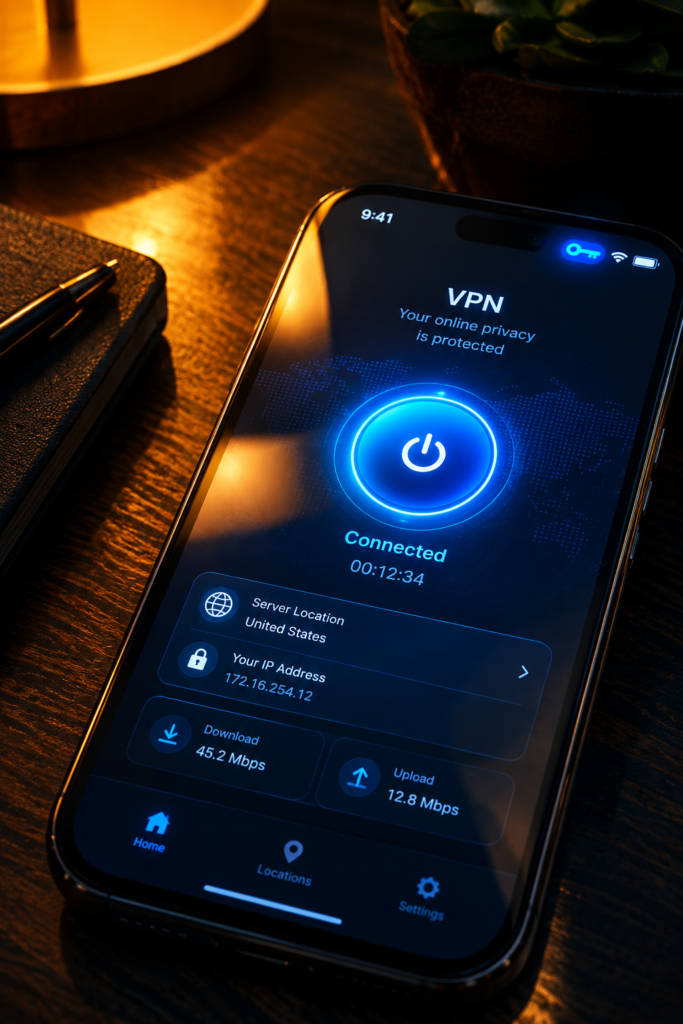
What does a VPN look like when it is active on your phone? When your VPN is connected you will see a small VPN icon in your phone’s status bar — on Android it appears as a key icon and on iPhone it shows as “VPN” in the top bar. This confirms your connection is encrypted and protected.
How Does a VPN Work With Wi-Fi?
How does VPN work with Wi-Fi is particularly important for public network safety.
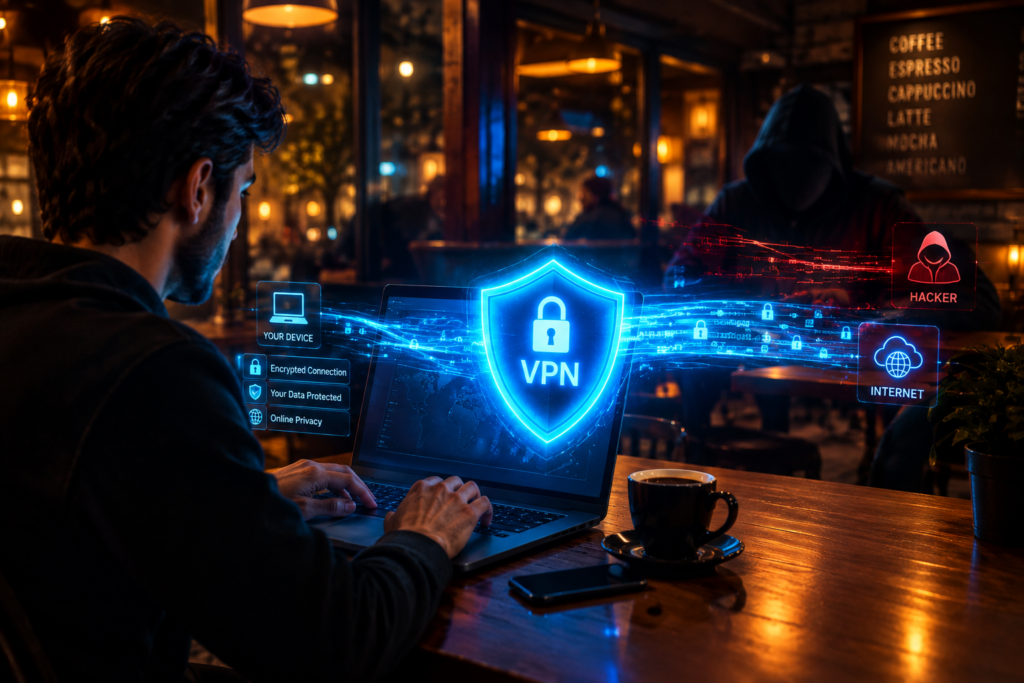
When you connect to a public Wi-Fi network — at a coffee shop, airport, hotel, or library — your data is extremely vulnerable to hackers using a technique called a man-in-the-middle attack. Without a VPN a hacker on the same Wi-Fi network can potentially intercept your passwords, banking details, and personal messages.
How a VPN protects you on Wi-Fi:
| Wi-Fi Scenario | Without VPN | With VPN |
|---|---|---|
| Coffee shop Wi-Fi | Hacker can intercept traffic | All traffic encrypted |
| Airport Wi-Fi | ISP monitors your activity | Activity hidden from ISP |
| Hotel Wi-Fi | Network admin can see your traffic | Admin only sees encrypted data |
| Home Wi-Fi | ISP logs your browsing | ISP sees encrypted tunnel only |
| Public hotspot | Man-in-the-middle attack possible | Attack blocked by encryption |
💡 FutureCyber.it Security Rule: Always activate your VPN before connecting to ANY public Wi-Fi network. This single habit dramatically reduces your risk of having personal data stolen in public spaces.
What Is a VPN and Do I Need One? — 7 Powerful Reasons
Now let us answer the core question — what is a VPN and do I need one? Here are the 7 most powerful reasons you should be using a VPN in 2026:
Reason 1 — Protect Yourself on Public Wi-Fi
Public Wi-Fi networks are hunting grounds for hackers. Whether you are at a coffee shop, airport, hotel, or library — connecting without a VPN exposes your passwords, emails, banking credentials, and personal messages to anyone on the same network.
Who needs this: Everyone who uses public Wi-Fi — which is virtually everyone.
Reason 2 — Hide Your Browsing from Your ISP
Your internet service provider — Comcast, Spectrum, AT&T, Verizon — logs every website you visit and in many countries can legally sell this data to advertisers. A VPN encrypts your traffic so your ISP can only see that you are connected to a VPN server — not what you are doing online.
Who needs this: Anyone who values privacy online — which should be everyone.
Reason 3 — Access Geo-Restricted Content
Streaming services like Netflix, BBC iPlayer, Hulu, and Disney+ show different content libraries in different countries. A VPN lets you connect to a server in another country and access content that is not available in your region.
| Streaming Service | Content Available with VPN |
|---|---|
| Netflix US | Largest library in the world |
| BBC iPlayer | Full UK content — free with VPN |
| Hulu | US-only content |
| Disney+ | Region-exclusive shows |
| Amazon Prime | Country-specific libraries |
Who needs this: Streaming enthusiasts, expats, travellers.
Reason 4 — Protect Your Online Banking and Shopping
When you enter credit card details, banking passwords, or personal information online — a VPN ensures that data is encrypted end-to-end. This is especially important when using mobile banking apps or shopping on public Wi-Fi.
Who needs this: Everyone who banks or shops online — which is virtually everyone in 2026.
Reason 5 — Bypass Censorship and Restrictions
In countries with internet censorship — including China, Russia, UAE, Iran, and others — many websites and services are blocked. A VPN allows users to bypass these restrictions and access the open internet freely.
Who needs this: Travellers to restricted countries, journalists, activists, expats.
Reason 6 — Secure Remote Work
With more people working from home than ever before, VPNs are essential for securing the connection between remote employees and their company’s internal network. Most corporate VPNs create an encrypted tunnel that allows employees to safely access company files, databases, and systems from anywhere.
Who needs this: Remote workers, freelancers, business travellers.
Reason 7 — Prevent Price Discrimination
Many airlines, hotel booking sites, and e-commerce platforms show different prices based on your location. By connecting to a VPN server in a different country you can sometimes find significantly lower prices for flights, hotels, and software subscriptions.
Who needs this: Frequent travellers, deal hunters, anyone who books flights or hotels online.
Who Needs a VPN? — Complete Guide
Who needs a VPN in 2026? Here is the honest breakdown:
| User Type | Do You Need a VPN? | Priority |
|---|---|---|
| Public Wi-Fi users | ✅ Yes — absolutely | 🔴 Critical |
| Remote workers | ✅ Yes — company may require it | 🔴 Critical |
| Online shoppers | ✅ Yes — protects payment data | 🔴 High |
| Online bankers | ✅ Yes — essential protection | 🔴 High |
| Streamers | ✅ Yes — for geo-restricted content | 🟡 Medium |
| Gamers | ✅ Yes — prevents DDoS attacks | 🟡 Medium |
| Travellers | ✅ Yes — public Wi-Fi protection | 🔴 High |
| Journalists | ✅ Yes — source protection | 🔴 Critical |
| Home users | ✅ Yes — ISP privacy | 🟡 Medium |
| Students | ✅ Yes — campus network protection | 🟡 Medium |
| Business owners | ✅ Yes — data protection | 🔴 High |
| Casual browsers | ⚠️ Recommended | 🟢 Low-Medium |
Do I Need a VPN on Android? — Specific Guide
What is a VPN and do I need one on Android is one of the most specific questions people ask. Android devices are particularly vulnerable because:
| Android Vulnerability | Why It Matters |
|---|---|
| App data leaks | Many Android apps transmit data insecurely |
| Public Wi-Fi auto-connect | Android can auto-connect to known networks |
| Google data collection | Google tracks Android usage extensively |
| Side-loaded apps | Apps from outside Play Store may be malicious |
| Less security by default | Android is more open than iOS |
Yes — you absolutely need a VPN on Android especially if you use public Wi-Fi, travel frequently, or use banking and shopping apps on your phone.
How to Use VPN Only for One Application on Android
How to use VPN only for one application is a feature called split tunneling — available on most premium VPN apps:
| Step | Action |
|---|---|
| 1 | Open your VPN app settings |
| 2 | Find Split Tunneling or Per-App VPN |
| 3 | Select apps to route through VPN |
| 4 | All other apps use normal connection |
| 5 | Save settings and connect VPN |
Split tunneling lets you protect sensitive apps like banking and email through the VPN while allowing streaming and gaming apps to use your normal faster connection.
How Do I Know If I Need a VPN? — Self Assessment
How do I know if I need a VPN? Answer these questions honestly:
| Question | If Yes → |
|---|---|
| Do you use public Wi-Fi? | You need a VPN |
| Do you work from home? | You need a VPN |
| Do you bank online? | You need a VPN |
| Do you shop online? | You need a VPN |
| Do you stream from other countries? | You need a VPN |
| Do you travel internationally? | You need a VPN |
| Do you care about your privacy? | You need a VPN |
| Do you game online? | You should consider a VPN |
If you answered yes to even one of these questions — you need a VPN in 2026.
Disadvantages of Using a VPN — The Honest Truth
At FutureCyber.it we always give you the complete picture. Here are the real disadvantages of using a VPN that most VPN companies do not want you to know:
| Disadvantage | How Serious | Workaround |
|---|---|---|
| Slower internet speed | ⚠️ Moderate | Choose WireGuard protocol and nearby server |
| Monthly cost | ⚠️ Moderate | Free options available but limited |
| VPN can be blocked | ⚠️ Moderate | Use obfuscated servers |
| False sense of security | ⚠️ Moderate | VPN does not protect from malware |
| Some sites block VPNs | ⚠️ Low | Switch server location |
| Logging by VPN provider | 🔴 Serious | Choose no-log VPN providers |
| Legal issues in some countries | 🔴 Serious | Check local laws before using |
| Complex for beginners | ⚠️ Low | Modern VPN apps are very simple |
The Most Important Disadvantage — VPN Logging
The biggest risk with a VPN is choosing a provider that logs your activity. If a VPN provider keeps logs of what you do online those logs can be subpoenaed by governments or stolen by hackers — defeating the entire purpose of the VPN.
Always choose a VPN with a verified no-log policy.
What Does a VPN Look Like? — Visual Guide
What does a VPN look like in practice? Here is what you see at every level:
| Where | What VPN Looks Like |
|---|---|
| VPN app | Simple on/off toggle with server location selector |
| Android status bar | Key icon when VPN is connected |
| iPhone status bar | “VPN” text appears when connected |
| Windows taskbar | Lock icon on network connection |
| Router level | VPN router shows as standard Wi-Fi — no visible sign |
| To websites | Sees VPN server IP — not your real IP |
| To your ISP | Sees encrypted connection to VPN server only |
HP VPN — Does HP Have a Built-In VPN?
Many HP laptop users search for HP VPN wondering if their laptop comes with a built-in VPN solution. Here is the answer:
HP does not manufacture its own VPN service. However HP laptops running Windows 10 and Windows 11 have a built-in VPN client that allows you to connect to third-party VPN services or corporate VPN networks:
| HP VPN Option | How to Access | Best For |
|---|---|---|
| Windows built-in VPN | Settings → Network → VPN → Add VPN | Corporate VPN connections |
| Third-party VPN app | Download NordVPN, ExpressVPN etc | Personal privacy |
| HP TechPulse | HP business software — includes VPN options | Business HP devices |
To add a VPN on your HP laptop go to Settings → Network & Internet → VPN → Add a VPN connection and enter your VPN provider’s details.
Best VPNs in 2026 — Complete Comparison
| VPN | Monthly Price | Speed | Privacy | Best For |
|---|---|---|---|---|
| NordVPN | $3.99/mo | ⭐⭐⭐⭐⭐ | ⭐⭐⭐⭐⭐ | Best overall |
| ExpressVPN | $6.67/mo | ⭐⭐⭐⭐⭐ | ⭐⭐⭐⭐⭐ | Streaming |
| Surfshark | $2.49/mo | ⭐⭐⭐⭐ | ⭐⭐⭐⭐ | Budget — unlimited devices |
| ProtonVPN | Free/$4.99 | ⭐⭐⭐⭐ | ⭐⭐⭐⭐⭐ | Best free option |
| Mullvad | $5.00/mo | ⭐⭐⭐⭐ | ⭐⭐⭐⭐⭐ | Maximum privacy |
| CyberGhost | $2.19/mo | ⭐⭐⭐⭐ | ⭐⭐⭐⭐ | Beginners |
| IPVanish | $3.33/mo | ⭐⭐⭐⭐ | ⭐⭐⭐⭐ | Streaming and torrenting |
| Private Internet Access | $2.03/mo | ⭐⭐⭐⭐ | ⭐⭐⭐⭐ | Budget power users |
Free vs Paid VPN — Which Should You Choose?
| Feature | Free VPN | Paid VPN |
|---|---|---|
| Cost | Free | $2-$7/month |
| Speed | Slow — limited servers | Fast — thousands of servers |
| Data limit | Usually 500MB-10GB/month | Unlimited |
| Privacy | Often logs and sells data | No-log policy |
| Servers | Few — often congested | Thousands worldwide |
| Streaming | Usually blocked | Works with Netflix etc |
| Security | Variable — some dangerous | Military-grade encryption |
| Recommendation | ProtonVPN free only | NordVPN or Surfshark |
⚠️ FutureCyber.it Warning: Many free VPNs make money by selling your browsing data to advertisers — completely defeating the purpose of using a VPN for privacy. If you use a free VPN stick to ProtonVPN which has a genuine no-log free tier.
VPN vs No VPN — Speed Impact in 2026
One of the biggest disadvantages of using a VPN is speed reduction. Here is what to expect:
| Connection Type | Without VPN | With VPN | Speed Loss |
|---|---|---|---|
| Fibre internet | 1 Gbps | 850-950 Mbps | 5-15% |
| Cable internet | 200 Mbps | 170-190 Mbps | 5-15% |
| 5G mobile | 100 Mbps | 80-90 Mbps | 10-20% |
| 4G mobile | 30 Mbps | 22-27 Mbps | 10-25% |
| Public Wi-Fi | 10 Mbps | 7-9 Mbps | 10-30% |
With a modern WireGuard-based VPN the speed loss is minimal — typically 5 to 15% on fast connections. This is barely noticeable during normal browsing, streaming, or video calling.
[Internal Link: EarthLink Internet Guide — add URL here]
People Also Search
Q: What is a VPN and do I need one in 2026?
A: A VPN — Virtual Private Network — is a service that encrypts your internet connection and hides your online activity from your ISP, hackers, and advertisers. In 2026 the answer to whether you need a VPN is almost certainly yes. If you use public Wi-Fi, bank or shop online, work from home, stream content, or care about your privacy online — a VPN provides essential protection. What is a VPN and do I need one is the right question to ask and the answer is yes for the vast majority of internet users in 2026. Starting prices are as low as $2 per month making it one of the most affordable cybersecurity tools available.
Q: What are the disadvantages of using a VPN?
A: The main disadvantages of using a VPN are reduced internet speed (typically 5 to 30% slower depending on your connection), monthly subscription costs starting at around $2 per month, the fact that VPNs do not protect you from malware or phishing, some websites and streaming services blocking VPN connections, and the risk of your VPN provider logging your activity if you choose a dishonest provider. The most serious disadvantage is choosing a VPN that secretly logs your browsing data — always choose a verified no-log VPN like NordVPN, ProtonVPN, or Mullvad.
Q: What is a VPN and do I need one on Android?
A: Yes — you absolutely need a VPN on Android. Android devices are vulnerable to data leaks from apps, man-in-the-middle attacks on public Wi-Fi, and extensive tracking by both Google and app developers. A VPN on Android encrypts all traffic from your device including apps, browsers, and background processes. Download a reputable VPN app from Google Play Store — NordVPN, ExpressVPN, or Surfshark are all excellent choices for Android. Most VPN apps also offer split tunneling so you can choose which apps use the VPN connection.
Q: How does a VPN work on a phone?
A: A VPN works on a phone exactly the same way as on a computer. When you activate a VPN app on your Android or iPhone all internet traffic from your device is encrypted before leaving your phone and routed through the VPN server. To websites and your ISP your traffic appears to come from the VPN server’s IP address rather than your real one. On Android you will see a key icon in your status bar when the VPN is active. On iPhone you will see “VPN” text in the top bar. The VPN protects all apps on your phone simultaneously — not just your browser.
Q: How does a VPN work with Wi-Fi?
A: When you connect to Wi-Fi with a VPN active all traffic between your device and the Wi-Fi router is encrypted. This means even if a hacker is monitoring the Wi-Fi network — using a man-in-the-middle attack or packet sniffing — they can only see encrypted data that is completely unreadable. This is especially critical on public Wi-Fi networks at coffee shops, airports, and hotels where security is typically very weak. Always activate your VPN before connecting to public Wi-Fi.
Q: Who needs a VPN?
A: Almost everyone who uses the internet benefits from a VPN in 2026. The people who most critically need a VPN are public Wi-Fi users, remote workers connecting to company systems, online bankers and shoppers, frequent travellers, streaming enthusiasts wanting access to different country libraries, journalists and activists in countries with internet censorship, and anyone who values their online privacy. The only people who may not need a VPN are those who exclusively use a secure home network for non-sensitive browsing.
Q: How do I know if I need a VPN?
A: You need a VPN if you use public Wi-Fi, work from home, bank or shop online, stream content from other countries, travel internationally, or care about your online privacy. If you answered yes to any of these — you need a VPN. The simplest test is to ask yourself — do I care if my ISP, advertisers, or hackers can see exactly what I do online? If the answer is no then a VPN may not be essential for you. For the vast majority of internet users in 2026 the answer is yes they care and yes they need a VPN.
Q: How do I use a VPN only for one application?
A: Using a VPN only for one application is called split tunneling. Most premium VPN apps including NordVPN, ExpressVPN, and Surfshark offer split tunneling in their settings. Open your VPN app, go to Settings → Split Tunneling or Per-App VPN, select which apps should use the VPN connection, and save. This allows you to protect sensitive apps like banking and email through the VPN while letting streaming and gaming apps use your normal faster connection without VPN overhead.
Q: Is a free VPN safe to use?
A: Most free VPNs are not safe to use. Many free VPN providers make money by logging your browsing activity and selling it to advertisers — completely defeating the privacy purpose of a VPN. Some free VPNs have even been found to contain malware. The only free VPN we recommend at FutureCyber.it is ProtonVPN — it has a genuine no-log policy, unlimited data on the free tier, and is backed by the same team behind ProtonMail. For full features and fastest speeds a paid VPN like NordVPN at $3.99 per month is worth the investment.
Q: What is a Virtual Pro Network or VPN?
A: A Virtual Private Network (VPN) — sometimes searched as Virtual Pro Network — is a technology that creates an encrypted tunnel between your device and the internet. It hides your real IP address, encrypts your data, and routes your traffic through a secure server in a location of your choice. This protects your privacy, secures your data on public Wi-Fi, and allows you to access geo-restricted content. The term “Virtual Pro Network” is not an official term — VPN stands for Virtual Private Network.
FAQ
Q: What is a VPN and do I need one?
A VPN — Virtual Private Network — encrypts your internet connection and hides your online activity. In 2026 most people need a VPN — especially if they use public Wi-Fi, work remotely, bank online, stream content, or value their privacy. Starting at just $2 per month a VPN is one of the most affordable and effective cybersecurity tools available.
Q: How does a VPN work?
A VPN works by encrypting all your internet traffic and routing it through a secure VPN server before it reaches the internet. Your real IP address is hidden and replaced with the VPN server’s IP. Your ISP only sees encrypted data going to the VPN server — not what websites you visit or what you do online.
Q: What are the disadvantages of using a VPN?
The main disadvantages of a VPN are slightly slower speeds (5-30%), monthly cost ($2-$7/month), some websites blocking VPN connections, and the risk of choosing a VPN that logs your data. Choose a verified no-log VPN like NordVPN or ProtonVPN to avoid the logging risk.
Q: Do I need a VPN on Android?
Yes — Android users benefit significantly from a VPN due to vulnerability to public Wi-Fi attacks, app data leaks, and Google tracking. Install a reputable VPN app from Google Play Store and activate it whenever using public Wi-Fi or accessing sensitive accounts.
Q: What is the best free VPN in 2026?
ProtonVPN is the best free VPN in 2026 — it has unlimited data on the free tier, a verified no-log policy, and strong encryption. Most other free VPNs log and sell your data or have strict data limits making them impractical for regular use.
Q: Does a VPN make you completely anonymous online?
No — a VPN significantly improves your privacy but does not make you completely anonymous. A VPN hides your IP address and encrypts your traffic but cannot protect you from browser fingerprinting, cookies, malware, phishing attacks, or voluntary disclosure of personal information. For complete online privacy a VPN should be combined with a secure browser, privacy-focused search engine, and strong cybersecurity habits.
Q: How do I know if my VPN is working?
Check if your VPN is working by visiting whatismyipaddress.com with the VPN on — the IP address shown should match your VPN server location not your real location. You can also run a DNS leak test at dnsleaktest.com to confirm your DNS requests are routing through the VPN.
Q: Where can I learn more about protecting my online privacy?
Visit FutureCyber.it for comprehensive guides on online privacy, cybersecurity best practices, home network security, and all the tools and strategies you need to stay safe online in 2026. We publish the most up-to-date and practical cybersecurity guides for home users and professionals alike.
Conclusion — What Is a VPN and Do You Need One in 2026?
What is a VPN and do I need one — the answer in 2026 is clear. A VPN is one of the most powerful and affordable cybersecurity tools available, and virtually everyone who uses the internet benefits from having one.
Whether you are protecting yourself on public Wi-Fi, securing your remote work connection, accessing streaming content from other countries, hiding your browsing from your ISP, or simply exercising your right to online privacy — a VPN delivers real, measurable protection for just a few dollars per month.
Here is your complete quick reference:
| Question | Answer |
|---|---|
| What is a VPN? | Encrypted tunnel protecting your internet |
| Do I need one? | Yes — almost everyone does |
| Best paid VPN | NordVPN — $3.99/mo |
| Best free VPN | ProtonVPN — unlimited free tier |
| Biggest disadvantage | Slight speed reduction 5-30% |
| Does it work on Android? | Yes — download from Play Store |
| Does it work on iPhone? | Yes — download from App Store |
| How to use for one app | Split tunneling in VPN settings |
| Speed impact | 5-15% on fast connections |
| HP VPN | Use Windows built-in or third-party app |
At FutureCyber.it we believe online privacy and cybersecurity should be accessible to everyone. A VPN is the single most impactful step most people can take to protect their online life in 2026 — and this guide has given you everything you need to make an informed decision.