Here is a shocking fact most people do not know:
The average home network has 21 connected devices in 2026 — and most of them are completely unsecured.
Your smart TV, your baby monitor, your thermostat, your kids’ tablets — every single one of them is a potential door for hackers to walk through into your home network.
And here is the thing — hackers are not just targeting businesses anymore. Home networks are now primary targets because they are easy, unprotected, and packed with valuable personal and financial data.
The good news? Protecting yourself does not have to be complicated or expensive. In this complete guide, FutureCyber.it walks you through the 15 most powerful home cybersecurity best practices 2026 — the exact same strategies that cybersecurity professionals use to protect their own homes.
Whether you are a complete beginner or a tech-savvy professional, this guide has actionable steps you can implement today — many of them in under 5 minutes.
Let us get started.
Table of Contents
Why Home Cybersecurity Has Never Been More Critical
Before we dive into the best practices, let us look at why home cybersecurity best practices 2026 matter more than ever:
Younger adults aged 20 to 29 reported losing money to fraud more often than any other age group, while adults over 70 reported the highest individual losses with a median loss of $1,500 per person.
In 2026 the internet is more woven into our daily lives than ever. More people work from home, study online, stream films, and control smart devices. Cyber threats are rising alongside this — phishing messages, ransomware attacks, and identity theft are becoming more common.
Here is the current threat landscape every home user faces:
| Threat | How Common | Average Cost to Victim |
|---|---|---|
| Phishing Attacks | 3.4 billion emails daily | $1,200 average loss |
| Ransomware | Every 11 seconds | $1,270 average ransom |
| Identity Theft | 15 million victims per year | $1,500 median loss |
| Smart Device Hacking | 1.5 billion IoT attacks in 2025 | Varies widely |
| Home Network Breaches | 105% increase since 2020 | $4,200 average loss |
| Data Breaches | 22 billion records exposed in 2025 | $200 per record |
The numbers are alarming. But here is the truth — 90% of successful cyberattacks are entirely preventable with the right habits and practices.
What Is Home Cybersecurity?
Home cybersecurity is the practice of protecting your home network, personal devices, smart home systems, and sensitive data from unauthorised access, cyberattacks, and data theft.
It covers everything from your Wi-Fi router and laptop to your smart doorbell, baby monitor, and children’s gaming console.
| Home Cybersecurity Area | What It Protects |
|---|---|
| Home Network | Router, Wi-Fi, all connected devices |
| Personal Devices | Laptops, smartphones, tablets |
| Smart Home Devices | TVs, cameras, thermostats, speakers |
| Personal Data | Passwords, financial info, medical records |
| Online Accounts | Email, banking, social media |
| Family Members | Children’s devices and online activity |
15 Home Cybersecurity Best Practices for 2026
Let us get into the actionable steps. These are not generic tips — these are the specific, proven practices that make the biggest difference in 2026.
Practice 1 — Secure Your Home Wi-Fi Network Immediately
Your home Wi-Fi router is the front door of your digital home. If it is unsecured, everything behind it is at risk.
Your Wi-Fi network connects laptops, phones, printers, and smart devices. Change the default router password as soon as possible and enable WPA3 encryption if your router supports it. If your router or devices do not support WPA3, enable WPA2 at a minimum — older security protocols are often weak and can lead to security compromise.
Action Steps:
| Step | Action | Time Required |
|---|---|---|
| 1 | Change default router admin username and password | 2 minutes |
| 2 | Enable WPA3 encryption (or WPA2 minimum) | 3 minutes |
| 3 | Change your Wi-Fi network name (SSID) | 1 minute |
| 4 | Create a strong Wi-Fi password (12+ characters) | 2 minutes |
| 5 | Update router firmware immediately | 5 minutes |
| 6 | Disable WPS (Wi-Fi Protected Setup) | 2 minutes |
| 7 | Enable router firewall | 2 minutes |
💡 FutureCyber.it Pro Tip: Create a separate guest Wi-Fi network for visitors and smart home devices. This keeps your main network isolated and secure even if a guest device is compromised.
Practice 2 — Use Strong Unique Passwords for Everything
Weak passwords are the number one cause of account takeovers. Using the same password across multiple accounts is one of the most dangerous habits in home cybersecurity best practices 2026.
What Makes a Strong Password in 2026:
| Requirement | Example |
|---|---|
| Minimum 12 characters | The longer the better |
| Mix of character types | Uppercase, lowercase, numbers, symbols |
| No personal information | Not your name, birthday, or address |
| Unique per account | Never reuse passwords |
| No dictionary words | Avoid “password123” or “admin” |
Best Password Managers for Home Users 2026:
| Tool | Cost | Best For |
|---|---|---|
| 1Password | $2.99/month | Families — best overall |
| Bitwarden | Free/Premium | Budget conscious users |
| LastPass | $3/month | Beginners |
| Dashlane | $4.99/month | Identity protection features |
| Apple Keychain | Free | Apple device users |
Practice 3 — Enable Multi-Factor Authentication (MFA) on Every Account
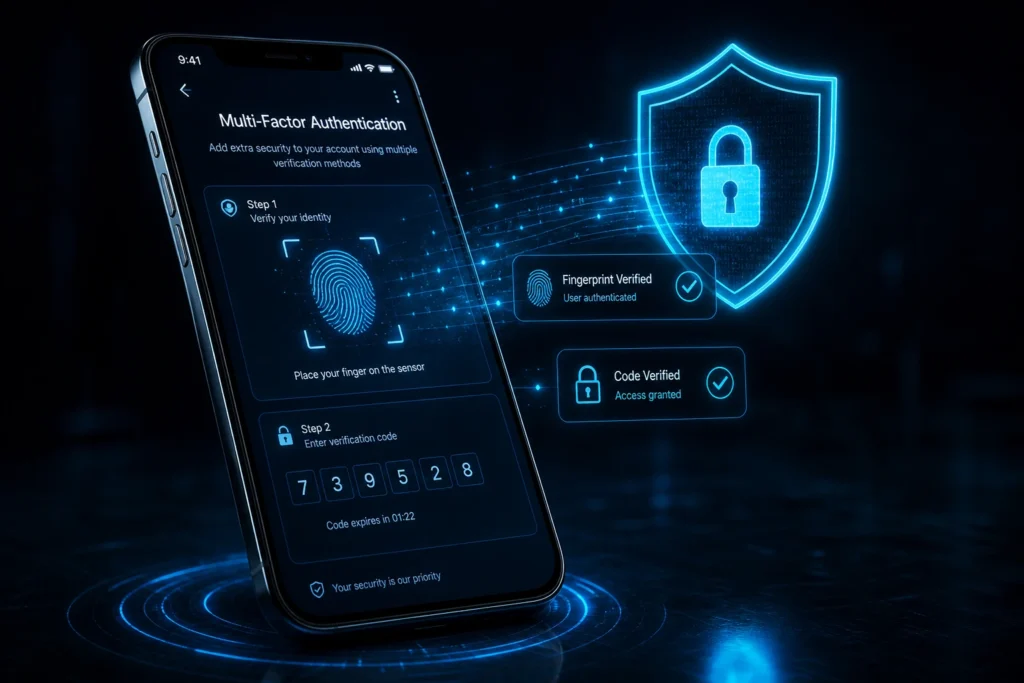
MFA adds an extra layer of security beyond passwords. Even if your password is compromised, attackers cannot access your account without the second verification step. This single practice blocks over 99.9% of automated account attacks. It takes 30 seconds to set up and can save you thousands of dollars.
Priority Accounts for MFA:
| Account Type | Priority | MFA Method Recommended |
|---|---|---|
| 🔴 Critical | Authenticator app | |
| Banking | 🔴 Critical | Authenticator app or SMS |
| Social Media | 🟡 High | Authenticator app |
| Shopping | 🟡 High | SMS or email |
| Cloud Storage | 🔴 Critical | Authenticator app |
| Work Accounts | 🔴 Critical | Hardware key or app |
Best MFA Apps for 2026:
- Google Authenticator
- Microsoft Authenticator
- Authy
- 1Password (built-in authenticator)
Practice 4 — Keep All Software and Devices Updated
Outdated software is one of the biggest security risks. Updates fix known security flaws — delaying updates increases risk because attackers often target vulnerabilities that already have fixes available.
Update Checklist:
| Device/Software | Update Frequency | How to Enable Auto-Update |
|---|---|---|
| Windows/Mac OS | As soon as available | Settings → Windows Update |
| iPhone/Android | As soon as available | Settings → Software Update |
| Router firmware | Monthly check | Router admin panel |
| Smart home devices | Monthly check | Device app settings |
| Antivirus software | Daily automatic | Enable auto-update in settings |
| Browser | Automatic | Enable in browser settings |
| Apps | Automatic | Enable in App Store settings |
Practice 5 — Install and Maintain Quality Antivirus Software
A good antivirus is your last line of defence against malware, spyware, and ransomware on home devices.
Best Antivirus Software for Home Use 2026:
| Product | Cost/Year | Best Feature | Best For |
|---|---|---|---|
| Bitdefender Total Security | $39.99 | Best overall protection | Families |
| Norton 360 | $49.99 | Identity theft protection | All users |
| Malwarebytes Premium | $39.99 | Malware specialisation | Windows users |
| Kaspersky | $29.99 | Performance and detection | Budget users |
| Windows Defender | Free | Built-in Windows protection | Basic protection |
| Intego | $39.99 | Mac specialisation | Mac users |
Practice 6 — Use a VPN on Public Wi-Fi
Unsecured networks are easy targets for hackers. For extra protection use a VPN when connecting to public networks.
Never access your banking, email, or any sensitive account on public Wi-Fi without a VPN. Coffee shops, airports, hotels, and libraries are favourite hunting grounds for hackers using man-in-the-middle attacks.
Best VPNs for Home and Personal Use 2026:
| VPN | Cost/Month | Best Feature |
|---|---|---|
| NordVPN | $3.99 | Fastest speeds, 9,000+ servers |
| ExpressVPN | $6.67 | Best for streaming |
| Surfshark | $2.49 | Unlimited devices |
| ProtonVPN | Free/Paid | Best free option |
| Mullvad | $5.00 | Best privacy |
Practice 7 — Back Up Your Data Regularly
Ransomware attacks are growing at an alarming rate. The only guaranteed protection against losing your data to ransomware is having a clean, recent backup stored somewhere the ransomware cannot reach.
The 3-2-1 Backup Rule:
| Rule | Explanation |
|---|---|
| 3 copies | Keep 3 copies of your important data |
| 2 different media | Store on 2 different types of storage |
| 1 offsite | Keep 1 copy completely offsite or in cloud |
Best Backup Solutions for Home Users 2026:
| Solution | Cost | Storage | Best For |
|---|---|---|---|
| Google Drive | Free/Paid | 15GB free | Documents and photos |
| iCloud | $0.99/month | 50GB | Apple users |
| Backblaze | $7/month | Unlimited | Full computer backup |
| OneDrive | $1.99/month | 100GB | Windows users |
| External Hard Drive | One-time cost | 1TB — 4TB | Local backup |
Practice 8 — Secure Your Smart Home Devices
Securing a rapidly growing number of IoT devices in homes is a significant challenge. Introducing IoT devices to a network means a review of the security arrangements around them.
Smart home devices are the weakest link in most home networks. Here is how to secure them:
| Smart Device | Security Action |
|---|---|
| Smart TV | Disable microphone when not in use, update firmware |
| Smart Speaker | Enable voice PIN, review app permissions |
| Security Camera | Change default password, enable encryption |
| Smart Doorbell | Enable 2FA, keep firmware updated |
| Baby Monitor | Change default password, use encrypted model |
| Smart Thermostat | Keep on separate network, update regularly |
| Gaming Console | Enable parental controls, update firmware |
Homes now have many connected devices such as phones, laptops, smart speakers, smart TVs, and CCTV cameras. These devices make life easier and more fun but also increase the number of entry points for cyber criminals if your home Wi-Fi is not secured properly.
Practice 9 — Recognise and Avoid Phishing Attacks
Phishing is the number one way hackers get into home networks and personal accounts. Phishing is one of the most common and successful cyberattacks — attackers use deceptive emails or messages to trick users into revealing sensitive information or clicking on malicious links. Despite user education, phishing tactics are becoming increasingly sophisticated, making them harder to detect.
How to Spot a Phishing Email in 2026:
| Red Flag | What to Look For |
|---|---|
| Urgent language | “Act immediately or your account will be closed” |
| Suspicious sender | Email from support@amaz0n.com instead of amazon.com |
| Generic greeting | “Dear Customer” instead of your name |
| Suspicious links | Hover over links before clicking to see real URL |
| Unexpected attachments | Never open unexpected PDF or ZIP files |
| Request for credentials | Legitimate companies never ask for passwords via email |
| Too good to be true | Prize winnings, lottery wins, inheritance offers |
Practice 10 — Freeze Your Credit and Monitor Your Identity
Identity theft is one of the fastest growing crimes in 2026. Freezing your credit is free and is one of the most powerful things you can do to prevent fraudsters from opening accounts in your name.
Regular credit freezes and dark web monitoring prevent unauthorised financial accounts. Weekly checks alert users to identity theft or fraudulent activity before significant damage occurs.
How to Freeze Your Credit:
- Equifax: equifax.com
- TransUnion: transunion.com
- Experian: experian.com
All three are free and can be done online in under 10 minutes.
Best Identity Monitoring Services 2026:
| Service | Cost/Month | Best Feature |
|---|---|---|
| Identity Guard | $8.99 | AI-powered monitoring |
| LifeLock | $9.99 | Norton integration |
| Aura | $12/month | All-in-one protection |
| Experian IdentityWorks | $9.99 | Credit bureau access |
Practice 11 — Use Encrypted Communication Apps
Not all messaging apps are created equal when it comes to privacy and security. In 2026, encrypted communication is essential for protecting sensitive conversations.
Best Encrypted Communication Apps 2026:
| App | Encryption | Best For |
|---|---|---|
| Signal | End-to-end | Most secure messaging |
| End-to-end | Widely used secure option | |
| Telegram | Optional E2E | Large groups |
| ProtonMail | End-to-end | Secure email |
| iMessage | End-to-end | Apple users |
Practice 12 — Set Up Home Network Segmentation
Home networks benefit from segmentation, firewall use, and minimising remote access to reduce attack surfaces.
Network segmentation means dividing your home network into separate zones so that if one device is compromised, the attacker cannot move freely to other devices.
Home Network Segmentation Strategy:
| Network Zone | Devices | Why Separate |
|---|---|---|
| Main Network | Laptops, phones, work devices | Your most sensitive devices |
| IoT Network | Smart TVs, cameras, smart speakers | Most vulnerable devices |
| Guest Network | Visitor devices | Isolate unknown devices |
| Kids Network | Children’s devices | Content filtering and isolation |
Practice 13 — Cybersecurity Best Practices for Employees Working from Home
With more people working from home, personal devices and home Wi-Fi are now part of how business gets done. That shift has expanded the attack surface and made remote workers a frequent target.
Remote Worker Security Checklist:
| Practice | Action |
|---|---|
| Dedicated workspace | Work in a private area at home |
| Position your screen | Ensure monitor is not visible to others |
| Use company VPN | Always connect through employer VPN |
| Separate work and personal | Use different devices or profiles |
| Lock your screen | Always lock when stepping away |
| Avoid public Wi-Fi | Never work on coffee shop or hotel Wi-Fi without VPN |
| Report incidents immediately | Tell IT team about any suspicious activity |
Practice 14 — Protect Children Online
Children are among the most vulnerable targets online. Protecting children requires both technical controls and open conversations about online safety.
Children’s Online Safety Checklist:
| Action | How to Implement |
|---|---|
| Parental controls | Enable on all devices and routers |
| Separate user accounts | Give children their own limited accounts |
| No admin access | Children should never have admin rights |
| Age appropriate content filters | Use Google Family Link or Apple Screen Time |
| Open conversations | Talk regularly about online dangers |
| Monitor activity | Regular check-ins without invading privacy |
| Teach phishing awareness | Explain how online scams work |
Practice 15 — Create a Home Cybersecurity Response Plan
Most people have no idea what to do if they get hacked. Having a plan before an incident happens is one of the most underrated home cybersecurity best practices 2026.
What to Do If You Get Hacked — Step by Step:
| Step | Action | Timeline |
|---|---|---|
| 1 | Disconnect affected device from internet | Immediately |
| 2 | Change passwords on all important accounts | Within 1 hour |
| 3 | Enable MFA on all accounts | Within 1 hour |
| 4 | Run full antivirus scan | Within 2 hours |
| 5 | Check bank and credit card statements | Within 24 hours |
| 6 | Freeze credit if financial data exposed | Within 24 hours |
| 7 | Report to relevant authorities | Within 48 hours |
| 8 | Restore from clean backup if needed | As required |
Home Cybersecurity Best Practices 2026 — PDF Checklist
Here is your complete home cybersecurity best practices 2026 PDF checklist — print it out and tick off each item:
Quick Win Checklist (Do These Today)
- ☐ Change router admin password
- ☐ Enable WPA3 encryption on Wi-Fi
- ☐ Enable MFA on email and banking
- ☐ Update all device software
- ☐ Install antivirus on all computers
- ☐ Create guest Wi-Fi network for IoT devices
- ☐ Set up automatic backups
- ☐ Freeze credit at all three bureaus
Monthly Security Checklist
- ☐ Check router firmware updates
- ☐ Review bank statements for fraud
- ☐ Check dark web monitoring alerts
- ☐ Review app permissions on phones
- ☐ Update smart home device firmware
- ☐ Review who has access to shared accounts
- Annual Security Review
- ☐ Review all passwords and update weak ones
- ☐ Audit all connected devices on network
- ☐ Review and update privacy settings on social media
- ☐ Test backup restoration
- ☐ Review home network segmentation
- ☐ Update antivirus subscription
Cybersecurity Best Practices for Individuals — Top 3 Tips
If you can only do three things from this entire guide — do these:
| Priority | Action | Impact |
|---|---|---|
| #1 | Enable MFA on all important accounts | Blocks 99.9% of automated attacks |
| #2 | Use a password manager with unique passwords | Eliminates password reuse risk |
| #3 | Keep all software and router firmware updated | Closes known vulnerability doors |
These three actions alone will make you dramatically safer than the average home user.
How to Stay Online Safely — 3 Top Cybersecurity Tips for 2026
At FutureCyber.it we always emphasise these three core habits:
Tip 1 — Think Before You Click Every suspicious link, unexpected email attachment, or urgent message asking for your information should be treated with extreme scepticism. When in doubt — do not click.
Tip 2 — Layer Your Defences No single security measure is enough. Use passwords AND MFA AND antivirus AND VPN AND backups together. Cybersecurity works best in layers.
Tip 3 — Stay Informed Cyber threats are continually evolving and staying vigilant is key to safeguarding sensitive information. Your actions play a crucial role in fortifying the collective defence against cyber adversaries.
Bookmark FutureCyber.it and check back regularly for the latest cybersecurity news and updates.
What Are the Requirements to Become a Cybersecurity Professional?
Many readers of our home cybersecurity best practices 2026 guides become so interested in cybersecurity that they want to pursue it as a career. Here is a quick overview:
| Requirement | Detail |
|---|---|
| Education | Bachelor’s degree in cybersecurity or computer science — or equivalent certifications |
| Foundation Certification | CompTIA Security+ — the essential starting point |
| Technical Skills | Networking, Linux, Python, firewalls, SIEM tools |
| Experience | Start with IT help desk or junior security analyst roles |
| Advanced Certifications | CISSP, CEH, CISM for senior roles |
| Soft Skills | Problem solving, communication, attention to detail |
| Salary Expectation | $65,000 entry level to $185,000+ senior level |
For a complete guide to starting your cybersecurity career visit FutureCyber.it — we have dedicated guides covering every step of the journey.
Home Network Security Best Practices — Quick Reference
| Security Layer | Best Practice | Priority |
|---|---|---|
| Router | WPA3, strong password, firmware updated | 🔴 Critical |
| Passwords | Unique, 12+ characters, password manager | 🔴 Critical |
| MFA | Enabled on all important accounts | 🔴 Critical |
| Updates | Automatic on all devices | 🔴 Critical |
| Antivirus | Installed and updated on all computers | 🟡 High |
| VPN | Used on public Wi-Fi always | 🟡 High |
| Backups | 3-2-1 rule, tested regularly | 🟡 High |
| Network segmentation | IoT on separate network | 🟡 High |
| Identity monitoring | Dark web monitoring active | 🟢 Medium |
| Phishing awareness | Family educated on threats | 🟢 Medium |
People Also Search
Q: What are home cybersecurity best practices for 2026? A: The most important home cybersecurity best practices for 2026 are securing your Wi-Fi with WPA3 encryption, using strong unique passwords with a password manager, enabling multi-factor authentication on all accounts, keeping all software and devices updated, installing quality antivirus software, using a VPN on public Wi-Fi, backing up data regularly using the 3-2-1 rule, securing smart home devices on a separate network, and recognising phishing attacks before clicking suspicious links.
Q: Is there a home cybersecurity best practices 2026 PDF? A: Yes. The checklist in this guide serves as your complete home cybersecurity best practices 2026 PDF reference. It covers quick wins you can do today, a monthly security checklist, and an annual security review. Print it out and work through each item to significantly improve your home network security.
Q: What are cybersecurity best practices for individuals? A: The most important cybersecurity best practices for individuals are enabling multi-factor authentication on all accounts, using a password manager with unique passwords, keeping software updated, installing antivirus protection, using a VPN on public networks, backing up data regularly, freezing credit to prevent identity theft, and learning to recognise phishing attacks.
Q: What are cybersecurity best practices for employees working from home? A: Home-based employees should use their employer’s VPN at all times, work on a dedicated device separate from personal use, lock their screen when stepping away, avoid public Wi-Fi without VPN, report any suspicious activity immediately to the IT team, keep their home router and devices updated, and ensure their home Wi-Fi uses WPA3 encryption.
Q: What are the requirements to become a cybersecurity professional? A: To become a cybersecurity professional you need either a bachelor’s degree in cybersecurity or computer science — or equivalent industry certifications like CompTIA Security+ as a starting point. Technical skills in networking, Linux, Python, and security tools are essential. Most professionals start in IT help desk or junior analyst roles before progressing to cybersecurity engineer or analyst positions with salaries ranging from $65,000 to $185,000+.
Q: What are home network security best practices? A: Home network security best practices include changing the default router admin password immediately, enabling WPA3 encryption, creating separate networks for IoT devices and guests, keeping router firmware updated, enabling the router firewall, disabling WPS, using strong Wi-Fi passwords, and monitoring connected devices regularly for unauthorised access.
Q: What are the best articles on cybersecurity for beginners? A: The best articles on cybersecurity for beginners cover topics like what is cybersecurity, how to create strong passwords, what is multi-factor authentication, how to spot phishing emails, how to secure your home Wi-Fi, and what is a VPN and why you need one. FutureCyber.it publishes beginner-friendly cybersecurity guides covering all of these topics and more.
Q: What are cybersecurity practices every family should follow? A: Every family should change the router default password, enable WPA3 encryption, give each family member their own login account, never use admin accounts for everyday browsing, enable parental controls on children’s devices, teach children to recognise phishing, create a guest network for visitors, back up family photos and documents regularly, and enable MFA on all family email and banking accounts.
Q: What is the home security trend in 2026? A: The biggest home security trends in 2026 are the adoption of WPA3 encryption, passkeys replacing passwords, AI-powered home security systems, zero-trust principles applied to home networks, increased smart home device attacks driving IoT network segmentation, and growing use of identity monitoring services to combat the rise in identity theft targeting home users.
FAQ
Q: What are home cybersecurity best practices 2026?
Home cybersecurity best practices 2026 include securing your Wi-Fi with WPA3, using a password manager, enabling MFA on all accounts, keeping devices updated, installing antivirus software, using a VPN on public networks, backing up data with the 3-2-1 rule, securing IoT devices on a separate network, recognising phishing attacks, freezing credit, and having a response plan ready if you get hacked.
Q: Is there a home cybersecurity best practices 2026 PDF?
Yes — use the checklist in this guide as your home cybersecurity best practices 2026 PDF. It covers quick wins, monthly checks, and annual reviews for complete home network protection.
Q: What are cybersecurity best practices for individuals?
Cybersecurity best practices for individuals include using strong unique passwords with a password manager, enabling MFA everywhere, keeping all software updated, installing antivirus protection, using a VPN, backing up data, and learning to recognise phishing and social engineering attacks.
Q: What are cyber security best practices for employees?
Cyber security best practices for employees include always using the company VPN, working on authorised equipment, keeping work and personal devices separate, locking screens when away, never accessing sensitive accounts on public Wi-Fi, reporting suspicious activity immediately, and following all company security policies at all times.
Q: What are cybersecurity practices for smart home devices?
Cybersecurity practices for smart home devices include changing default passwords on every device, placing IoT devices on a separate guest network, keeping device firmware updated, disabling features you do not use, reviewing app permissions regularly, and choosing devices from manufacturers with strong security reputations.
Q: What are the requirements to become a cybersecurity professional?
Requirements to become a cybersecurity professional include a degree in cybersecurity or computer science or equivalent certifications like CompTIA Security+, technical skills in networking and security tools, problem-solving ability, and 1 to 2 years of experience in IT or security roles. Advanced certifications like CISSP and CEH unlock senior positions paying $120,000 to $185,000+.
Q: What are the best articles on cybersecurity in 2026?
The best articles on cybersecurity in 2026 cover topics like home network security, ransomware protection, password managers, MFA setup guides, phishing awareness, VPN comparisons, identity theft prevention, and career guides for aspiring cybersecurity professionals. FutureCyber.it publishes comprehensive guides on all of these topics updated regularly throughout 2026.
Q: What are home security trends in 2026?
Home security trends in 2026 include passkeys replacing traditional passwords, AI-powered threat detection for home networks, WPA3 becoming the new standard, increased IoT device attacks driving network segmentation, growing identity theft driving credit monitoring adoption, and more families using VPNs as awareness of public Wi-Fi risks increases.
Conclusion
The home cybersecurity best practices 2026 outlined in this guide are not optional extras — they are essential habits for anyone who uses the internet in 2026.
Hackers are not just targeting businesses. They are targeting your home network, your personal accounts, your children’s devices, and your financial data. And with the average home having 21 connected devices, the attack surface has never been larger.
But here is the empowering truth — you do not need to be a cybersecurity expert to stay protected. You just need to follow the 15 practices in this guide consistently.
Start with the quick wins today:
- Enable MFA on your email and banking accounts
- Change your router admin password and enable WPA3
- Install a password manager and create unique passwords
Then work through the monthly and annual checklists to build a truly secure home environment.
At FutureCyber.it, our mission is to make cybersecurity simple, practical, and accessible for every home user — from complete beginners to tech professionals. Bookmark this guide, download the checklist, share it with your family, and check back regularly for the latest home cybersecurity updates in 2026 and beyond.
Stay safe. Stay informed. Stay secure — with FutureCyber.it.