Is Your Comcast Ethernet Giving You Problems?
Here is a fact that surprises most people:
Wired ethernet is 10x more reliable than Wi-Fi — yet most Comcast customers never set it up correctly.
Whether you are a home user trying to get a faster wired connection, a small business owner exploring Comcast Business Ethernet services, or an IT professional troubleshooting why your Comcast ethernet is not working — this complete 2026 guide covers everything you need to know.
Comcast ethernet connections deliver speeds up to 10 Gbps with zero wireless interference, making them the gold standard for home offices, gaming setups, streaming stations, and enterprise business networks alike.
At FutureCyber.it we have put together the most complete and up-to-date Comcast ethernet guide available — covering setup, login, settings, router ports, SLA details, business ethernet services, metro ethernet, dedicated internet, and every fix for common problems.
Let us get straight into it.
Table of Contents
What Is Comcast Ethernet?
Comcast ethernet refers to the wired internet connection service delivered through Comcast’s Xfinity network for residential customers and through Comcast Business Ethernet services for commercial clients. Unlike wireless Wi-Fi connections that use radio signals, Comcast ethernet uses physical cables to deliver faster, more stable, and more secure internet connectivity.
Comcast delivers ethernet services across two main product lines:
| Service Line | Target Customer | Speed Range |
|---|---|---|
| Xfinity Ethernet | Home users | Up to 2 Gbps |
| Comcast Business Ethernet | Small to enterprise business | Up to 100 Gbps |
| Comcast Metro Ethernet | Large enterprise and carriers | 1 Mbps to 100 Gbps |
| Comcast Business Ethernet Dedicated Internet | Enterprise mission-critical | Symmetrical dedicated speeds |
Why Choose Comcast Ethernet Over Wi-Fi?
Before diving into setup and troubleshooting understanding why Comcast ethernet is superior to wireless is important:
| Feature | Comcast Ethernet | Wi-Fi |
|---|---|---|
| Speed | Up to 10 Gbps | Up to 1-2 Gbps practical |
| Latency | 1-5ms | 10-50ms |
| Reliability | 99.9%+ uptime | Subject to interference |
| Security | Physical connection only | Vulnerable to wireless attacks |
| Interference | Zero | Walls, devices, neighbours |
| Consistency | Always stable | Varies by location |
| Best for | Gaming, streaming, business, work from home | Mobile devices, casual browsing |
Comcast Ethernet Setup — Complete Step by Step Guide
Setting up your Comcast ethernet connection correctly from the start saves hours of troubleshooting later. Here is the complete Comcast ethernet setup guide for every scenario:
Home Ethernet Setup — Xfinity Gateway
What you need:
- Xfinity Gateway router (XB8, XB7, or XB6)
- Cat5e, Cat6, or Cat6a ethernet cable
- Device with ethernet port (laptop, desktop, gaming console, smart TV)
Complete Comcast ethernet setup steps:
| Step | Action | Time |
|---|---|---|
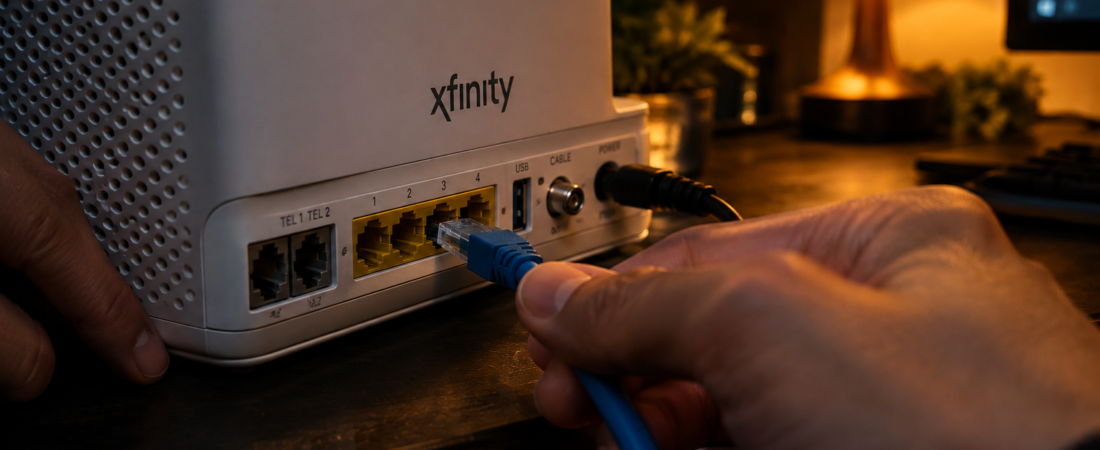
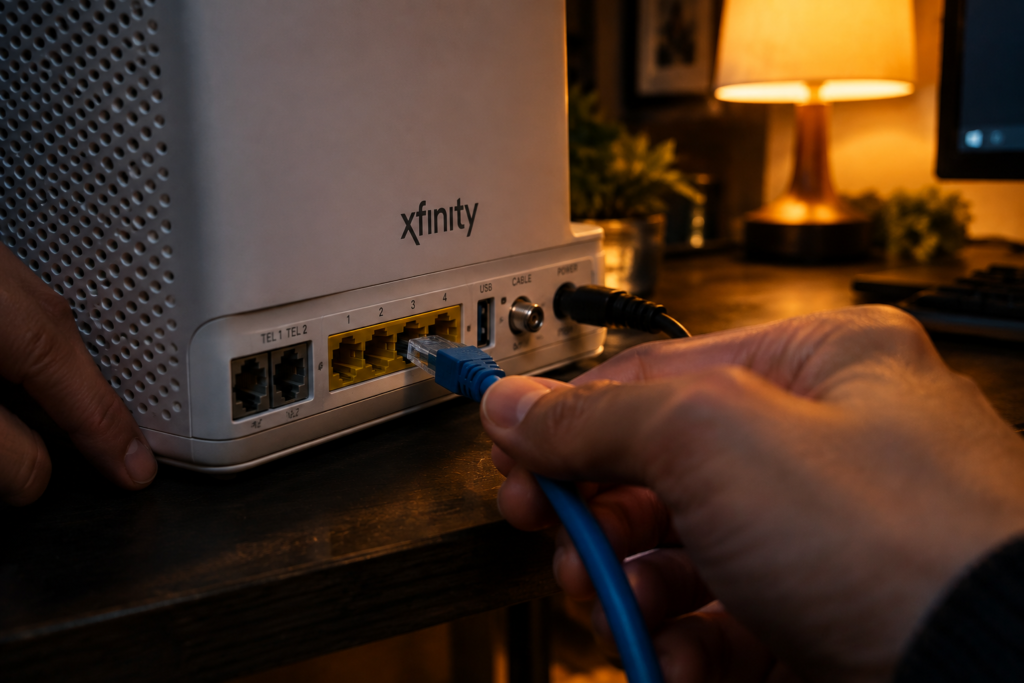
| 1 | Connect ethernet cable to any LAN port on back of Xfinity Gateway | 30 seconds |
| 2 | Connect other end to ethernet port on your device | 30 seconds |
| 3 | On Windows — open Settings → Network → Ethernet | 1 minute |
| 4 | Confirm connection shows as Connected | 30 seconds |
| 5 | Run speed test at fast.com to verify speeds | 2 minutes |
| 6 | Disable Wi-Fi on device for pure ethernet speeds | 30 seconds |
Comcast Ethernet Router Setup — Port Guide
Your Comcast ethernet router has multiple ports on the back. Here is exactly what each port does:
| Port | Label | Purpose |
|---|---|---|
| Coax port | COAX | Connects to Comcast cable line from wall |
| WAN port | WAN/Internet | Not used on Gateway — coax handles this |
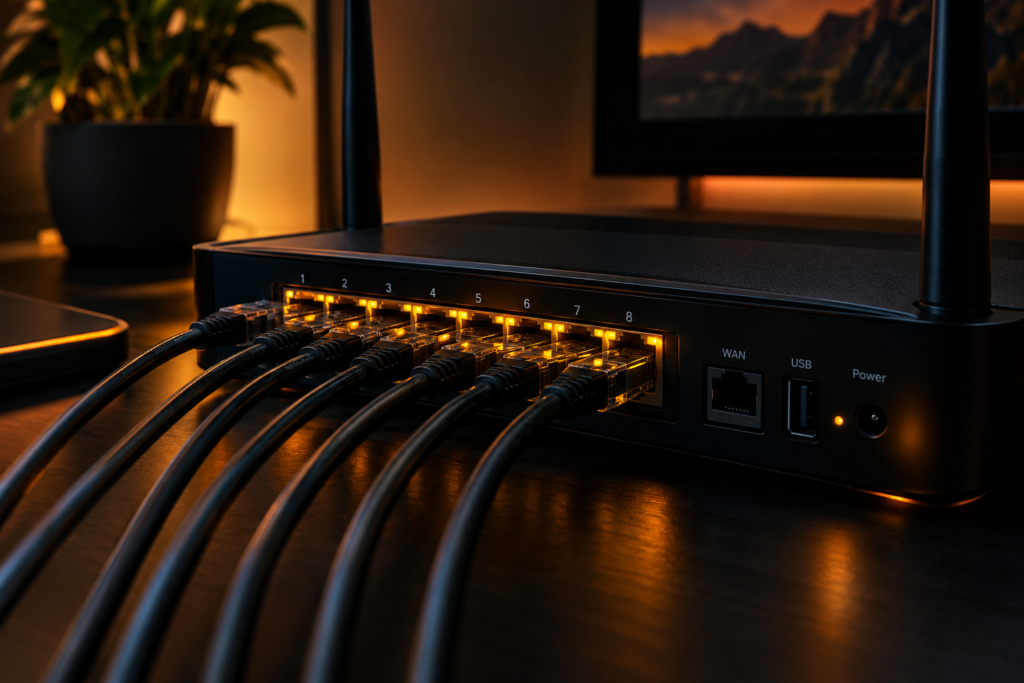
| LAN ports 1-4 | LAN 1, 2, 3, 4 | Connect your wired devices here |
| 2.5G port | 2.5G LAN | Faster port for gaming PC or NAS |
| Phone ports | TEL 1, TEL 2 | For Xfinity Voice service |
| USB port | USB | For USB storage sharing |
Comcast Router Ethernet Ports — Which Port Is Fastest?
| Xfinity Gateway Model | Standard Ports | Fast Port | Max Speed |
|---|---|---|---|
| XB8 | 4x 1G LAN | 1x 2.5G LAN | 2.5 Gbps |
| XB7 | 4x 1G LAN | 1x 2.5G LAN | 2.5 Gbps |
| XB6 | 4x 1G LAN | None | 1 Gbps |
| XB3 | 4x 100M LAN | None | 100 Mbps |
💡 FutureCyber.it Pro Tip: Always use the 2.5G port on XB8 and XB7 gateways for your primary wired device — it delivers significantly faster speeds than the standard 1G ports especially if you have Gigabit or multi-gig internet plan.
Comcast Ethernet Login — Complete Guide
The Comcast ethernet login process covers two different things depending on what you are trying to access:
Login 1 — Xfinity Gateway Admin Panel
Access your Comcast ethernet router settings through the admin panel:
| Step | Action |
|---|---|
| 1 | Connect to your Comcast ethernet or Wi-Fi network |
| 2 | Open browser and go to 10.0.0.1 |
| 3 | Enter username: admin |
| 4 | Enter password: password (default) or your custom password |
| 5 | Click Sign In |
| 6 | Access Gateway → Connection → Local IP Network for ethernet settings |
Login 2 — Xfinity Account Online
For account management and Comcast ethernet service settings:
| Step | Action |
|---|---|
| 1 | Go to xfinity.com |
| 2 | Click Sign In top right |
| 3 | Enter your Xfinity username and password |
| 4 | Go to Internet → My Network |
| 5 | Access ethernet and Wi-Fi settings from here |
Login 3 — Comcast Business Ethernet Login
For Comcast Business Ethernet customers:
| Step | Action |
|---|---|
| 1 | Go to business.comcast.com |
| 2 | Click Sign In |
| 3 | Enter your Business account credentials |
| 4 | Access My Services → Ethernet |
| 5 | View SLA status, speed settings, and support tickets |
Comcast Ethernet Settings — Complete Configuration Guide
Optimising your Comcast ethernet settings can dramatically improve your connection performance:
Essential Ethernet Settings to Configure
| Setting | Where to Find It | Recommended Value |
|---|---|---|
| DNS servers | Gateway admin → Connection → Local IP | 8.8.8.8 / 8.8.4.4 (Google) |
| IPv6 | Gateway admin → Connection → IPv6 | Enable for modern devices |
| DHCP range | Gateway admin → Connection → DHCP | 10.0.0.2 — 10.0.0.254 |
| MTU size | Gateway admin → Advanced | 1500 (standard) |
| QoS settings | Gateway admin → Advanced → QoS | Prioritise ethernet over Wi-Fi |
| Port forwarding | Gateway admin → Advanced → Port Forwarding | Set for specific devices |
| Bridge mode | Gateway admin → Gateway → At a Glance | Enable if using own router |
Windows Ethernet Settings for Comcast
| Setting | Path | Recommended |
|---|---|---|
| Duplex speed | Device Manager → Network → Properties → Advanced | Auto Negotiation |
| Energy efficient ethernet | Device Manager → Network → Properties → Advanced | Disabled for stability |
| Receive buffers | Device Manager → Network → Properties → Advanced | 512 or higher |
| Transmit buffers | Device Manager → Network → Properties → Advanced | 512 or higher |
| IPv4 DNS | Network Settings → Ethernet → IPv4 | 8.8.8.8 / 8.8.4.4 |
Comcast Business Ethernet — Complete Service Guide
Comcast Business Ethernet is one of the most powerful business internet solutions available in the United States. Here is everything businesses need to know:
What Is Comcast Business Ethernet?
Comcast Business Ethernet is a family of enterprise-grade connectivity solutions delivering dedicated, high-speed, and highly reliable internet and network services to businesses of all sizes — from small offices to large enterprises with multiple locations.
Comcast Business Ethernet Services — Full Breakdown
| Service | Best For | Speed Range | Key Feature |
|---|---|---|---|
| Ethernet Dedicated Internet (EDI) | Single location businesses | 10 Mbps — 100 Gbps | Dedicated symmetrical speeds |
| Ethernet Private Line (EPL) | Point-to-point connections | 1 Mbps — 10 Gbps | Direct private connection |
| Ethernet Virtual Private Line (EVPL) | Multi-point connections | 1 Mbps — 10 Gbps | Multiple locations one circuit |
| Metro Ethernet | Large enterprise, campus | 1 Mbps — 100 Gbps | Wide area ethernet network |
| Wavelength Services | Carriers, data centres | 10 Gbps — 100 Gbps | Optical fibre transport |
Comcast Business Ethernet Dedicated Internet
Comcast Business Ethernet Dedicated Internet is the premium tier of business connectivity offering:
| Feature | Detail |
|---|---|
| Speed | Symmetrical — same upload and download |
| Bandwidth | 100% dedicated — never shared |
| Reliability | 99.99% uptime SLA |
| Latency | Under 5ms typical |
| IP addresses | Static IP addresses included |
| Support | 24/7 dedicated business support |
| Contract | 12, 24, or 36 month terms |
| Installation | Professional on-site installation |
💡 FutureCyber.it Business Tip: If your business relies on cloud applications, video conferencing, VoIP, or processes large data transfers daily — Comcast Business Ethernet Dedicated Internet is significantly more reliable than shared cable internet and the symmetrical speeds make a dramatic difference for upload-heavy workloads.
Comcast Metro Ethernet — Enterprise Network Guide
Comcast Metro Ethernet is the enterprise-grade wide area network service connecting multiple business locations across a metropolitan area through Comcast’s fibre infrastructure.
What Is Comcast Metro Ethernet?
Comcast Metro Ethernet delivers carrier-grade ethernet connectivity across cities and regions — allowing large enterprises, healthcare networks, educational institutions, and government agencies to connect multiple locations with high-speed, low-latency, and highly reliable network services.
| Comcast Metro Ethernet Feature | Detail |
|---|---|
| Network type | Fibre-based metro ethernet |
| Speed range | 1 Mbps to 100 Gbps |
| Coverage | Major US metropolitan areas |
| Topology | Point-to-point and multipoint |
| Redundancy | Diverse path routing available |
| SLA | Carrier-grade — 99.999% uptime |
| Latency | Sub-5ms across metro areas |
| Use cases | Multi-location enterprise, data centre, cloud connectivity |
Comcast Metro Ethernet Support Number
For Comcast Metro Ethernet support contact:
| Support Channel | Contact | Hours |
|---|---|---|
| Business support line | 1-800-391-3000 | 24/7 |
| Metro ethernet dedicated line | 1-800-316-1619 | 24/7 |
| Online portal | business.comcast.com | 24/7 |
| Emergency network support | Via business portal ticket | 24/7 |
Comcast Ethernet SLA — What You Are Guaranteed
The Comcast ethernet SLA (Service Level Agreement) defines the performance guarantees Comcast commits to for ethernet services:
Residential Xfinity SLA
| Metric | Guarantee |
|---|---|
| Uptime | 99.9% |
| Repair time | Next business day standard |
| Speed | Up to advertised speed |
| Credits | Prorated for outages over 24 hours |
Comcast Business Ethernet SLA
| Metric | Business Ethernet | Dedicated Internet |
|---|---|---|
| Uptime | 99.9% | 99.99% |
| Latency | Under 10ms | Under 5ms |
| Packet loss | Under 0.1% | Under 0.01% |
| Repair time | 4 hours | 2 hours |
| Credit | 1/30 monthly fee per day | Full day credit |
| Jitter | Under 10ms | Under 5ms |
Comcast Ethernet Terms and Conditions — Key Points
| Term | Detail |
|---|---|
| Contract length | 1, 2, or 3 year options |
| Early termination | Fee applies — percentage of remaining contract |
| Speed guarantee | Up to advertised — not guaranteed minimum |
| Installation fee | Waived on some plans — check current offers |
| Equipment | Comcast provided or bring your own |
| Price lock | Available on select business plans |
Comcast Ethernet Not Working — 7 Powerful Fixes
Comcast ethernet not working is one of the most frustrating issues for both home and business users. Here are the 7 most effective fixes:
Fix 1 — Check the Physical Cable Connection
The most common cause of Comcast ethernet not working is a loose or damaged cable.
| Check | Action |
|---|---|
| Cable firmly seated | Push ethernet connector in until it clicks |
| Cable not damaged | Look for kinks, cuts, or bent pins |
| Right port on router | Use LAN ports — not the WAN port |
| Try different cable | Swap to another Cat6 cable to test |
| Try different port | Move to different LAN port on Gateway |
Fix 2 — Restart Your Xfinity Gateway
A gateway restart fixes Comcast ethernet not working surprisingly often:
| Step | Action |
|---|---|
| 1 | Unplug Xfinity Gateway from power |
| 2 | Wait 60 full seconds |
| 3 | Plug back in |
| 4 | Wait 3 minutes for full restart |
| 5 | Test ethernet connection again |
Fix 3 — Update Network Adapter Drivers
Outdated drivers are a major cause of Comcast ethernet connection failures on Windows:
| Step | Action |
|---|---|
| 1 | Right-click Start → Device Manager |
| 2 | Expand Network Adapters |
| 3 | Right-click your ethernet adapter |
| 4 | Click Update Driver |
| 5 | Choose Search Automatically |
| 6 | Restart PC after update |
Fix 4 — Reset Network Settings on Windows
| Command | Purpose |
|---|---|
netsh winsock reset | Reset network socket settings |
netsh int ip reset | Reset IP configuration |
ipconfig /flushdns | Clear DNS cache |
ipconfig /release | Release current IP address |
ipconfig /renew | Get new IP address from Gateway |
Run all five in Command Prompt as Administrator then restart your PC.
Fix 5 — Check Comcast Ethernet Disconnect Issues
If your Comcast ethernet disconnect problem is intermittent rather than constant:
| Cause | Fix |
|---|---|
| Loose cable | Replace ethernet cable |
| Faulty port on Gateway | Switch to different LAN port |
| IP conflict | Assign static IP to your device |
| Power saving settings | Disable ethernet adapter power management |
| Driver issue | Update or roll back network driver |
| Gateway overheating | Ensure Gateway has ventilation space |
Fix 6 — Check for Comcast Service Outage
Your Comcast ethernet not working may be caused by a network outage rather than your equipment:
| Method | How to Check |
|---|---|
| Xfinity app | App → Account → Service Status |
| Xfinity status page | xfinity.com/support/status |
| Text STATUS | Text to 266278 |
| Downdetector | downdetector.com/status/xfinity |
| Business portal | business.comcast.com → My Services |
Fix 7 — Contact Comcast Ethernet Support
If all fixes fail contact Comcast ethernet support directly:
| Support Channel | Contact | Best For |
|---|---|---|
| Xfinity chat | xfinity.com → Support → Chat | Quick fixes |
| Xfinity phone | 1-800-XFINITY (1-800-934-6489) | Complex issues |
| Business support | 1-800-391-3000 | Business ethernet |
| Comcast ethernet support number | 1-800-316-1619 | Metro ethernet |
| Xfinity app | Chat support 24/7 | Mobile support |
Comcast Ethernet Cable — What Type Do You Need?
Choosing the right Comcast ethernet cable makes a significant difference in your connection performance:
| Cable Type | Max Speed | Max Length | Best For |
|---|---|---|---|
| Cat5e | 1 Gbps | 100m | Basic home use |
| Cat6 | 10 Gbps | 55m | Home and small office |
| Cat6a | 10 Gbps | 100m | Business and long runs |
| Cat7 | 10 Gbps | 100m | High interference environments |
| Cat8 | 40 Gbps | 30m | Data centre and server rooms |
💡 FutureCyber.it Cable Recommendation: For most home Comcast ethernet setups use Cat6 cable — it supports full gigabit speeds, is widely available, affordable, and works perfectly with all Xfinity Gateway models. For Comcast Business Ethernet installations use Cat6a minimum for future-proofing.
Comcast Ethernet Network Service — Business vs Residential Comparison
| Feature | Xfinity Residential Ethernet | Comcast Business Ethernet |
|---|---|---|
| Speed | Up to 2 Gbps | Up to 100 Gbps |
| Bandwidth | Shared with neighbourhood | Dedicated options available |
| SLA uptime | 99.9% | 99.99% |
| Static IP | Not included | Included |
| Support | Standard consumer | 24/7 dedicated business |
| Contract | Month to month | 1-3 year terms |
| Installation | Self-install or tech visit | Professional installation |
| Price | $30-$300/month | $200-$10,000+/month |
| Priority repair | Standard | 2-4 hour SLA |
Comcast Modem Ethernet Ports — Complete Guide
Understanding your Comcast modem ethernet ports helps you get the best performance from your setup:
Xfinity Gateway Ethernet Port Layout
| Port | Speed | Best Use |
|---|---|---|
| LAN 1 | 1 Gbps | Desktop PC or laptop |
| LAN 2 | 1 Gbps | Gaming console or smart TV |
| LAN 3 | 1 Gbps | Network switch for more devices |
| LAN 4 | 1 Gbps | NAS storage or printer |
| 2.5G LAN | 2.5 Gbps | Primary gaming PC or work PC |
How to Connect Multiple Devices to Comcast Ethernet
If you need more than 4-5 wired ethernet connections from your Comcast ethernet router use a network switch:
| Switch Type | Ports | Cost | Best For |
|---|---|---|---|
| TP-Link 8-port | 8x 1G | $20-30 | Home use |
| TP-Link 16-port | 16x 1G | $40-60 | Small office |
| Netgear 24-port | 24x 1G | $80-120 | Medium office |
| Cisco 8-port | 8x 2.5G | $150-200 | Performance home |
Comcast Business Ethernet Disconnect — How to Cancel
If you need to process a Comcast Business Ethernet disconnect here is the complete guide:
| Step | Action | Important Note |
|---|---|---|
| 1 | Call 1-800-391-3000 | Business cancellation line |
| 2 | Request account cancellation | Have account number ready |
| 3 | Check early termination fee | Applies if in contract |
| 4 | Request final bill confirmation | Get in writing |
| 5 | Return equipment | Schedule equipment pickup |
| 6 | Confirm disconnect date | Get confirmation number |
Early Termination Fee Calculator
| Contract Remaining | ETF Estimate |
|---|---|
| 12 months remaining | 50-75% of remaining contract value |
| 6 months remaining | 25-50% of remaining contract value |
| 3 months remaining | 10-25% of remaining contract value |
| 1 month remaining | Minimal or no ETF |
⚠️ Important: Always get your Comcast Business Ethernet disconnect confirmation in writing with a reference number. Keep this for your records in case of billing disputes after cancellation.
People Also Search
Q: How do I set up Comcast ethernet?
A: To set up Comcast ethernet connect a Cat6 ethernet cable from any LAN port on the back of your Xfinity Gateway to the ethernet port on your device. On Windows open Settings → Network → Ethernet to confirm the connection. On Mac go to System Preferences → Network → Ethernet. Run a speed test at fast.com to verify your Comcast ethernet connection is working at full speed. For best performance use the 2.5G port on XB8 and XB7 gateways.
Q: How do I login to my Comcast ethernet router settings?
A: To access Comcast ethernet login for your router admin panel connect to your network then open a browser and go to 10.0.0.1. Enter username admin and password password for the default credentials. From there you can access all Comcast ethernet settings including DHCP, port forwarding, DNS, QoS, and bridge mode. For your Xfinity account go to xfinity.com and sign in with your Xfinity credentials.
Q: What are the best Comcast ethernet settings?
A: The best Comcast ethernet settings for performance include setting DNS to 8.8.8.8 and 8.8.4.4 in your Gateway admin panel, enabling IPv6, setting MTU to 1500, enabling QoS to prioritise wired over wireless devices, disabling energy efficient ethernet in Windows Device Manager, and setting receive and transmit buffers to 512 or higher for maximum throughput
Q: What is Comcast Business Ethernet?
A: Comcast Business Ethernet is a family of enterprise-grade connectivity services including Ethernet Dedicated Internet, Ethernet Private Line, Ethernet Virtual Private Line, and Metro Ethernet. It delivers dedicated symmetrical speeds from 10 Mbps to 100 Gbps with 99.99% uptime SLA, static IP addresses, 24/7 business support, and professional installation for businesses of all sizes.
Q: How do I contact Comcast ethernet support?
A: Contact Comcast ethernet support for residential service at 1-800-XFINITY (1-800-934-6489) or via chat at xfinity.com. For Comcast Business Ethernet support call 1-800-391-3000 available 24/7. For Comcast Metro Ethernet support number call 1-800-316-1619. You can also access support through the Xfinity app or business.comcast.com portal.
Q: What is the Comcast ethernet SLA?
A: The Comcast ethernet SLA for residential service guarantees 99.9% uptime with next business day repair. Comcast Business Ethernet SLA guarantees 99.99% uptime, under 10ms latency, under 0.1% packet loss, and 4-hour repair time with service credits for any breach. Comcast Business Ethernet Dedicated Internet SLA upgrades this to 99.999% uptime and 2-hour repair time.
Q: Why is my Comcast ethernet not working?
A: Comcast ethernet not working is most commonly caused by a loose or damaged ethernet cable, faulty LAN port on the Gateway, outdated network adapter drivers, incorrect network settings, or a Comcast service outage. Fix by checking cable connections, restarting your Gateway, updating network drivers, running netsh winsock reset in Command Prompt, and checking xfinity.com/support/status for outages.
Q: How do I disconnect Comcast Business Ethernet?
A: To process a Comcast Business Ethernet disconnect call 1-800-391-3000 with your account number ready. Request cancellation and ask about early termination fees if you are still in contract. Get your disconnect confirmation in writing with a reference number and schedule equipment return. Note that Comcast ethernet disconnect fees can range from 10% to 75% of remaining contract value depending on how much time remains.
Q: What ethernet cable does Comcast use?
A: Comcast ethernet installations typically use Cat6 cable for standard residential and small business connections. Cat6a is used for longer business ethernet runs and higher performance installations. For home Comcast ethernet setup use Cat6 cable which supports full gigabit speeds and works perfectly with all Xfinity Gateway models including XB8 XB7 and XB6.
FAQ
Q: What is Comcast ethernet?
Comcast ethernet is the wired internet connection service delivered through Comcast’s Xfinity network — available for residential customers through Xfinity Gateways and for business customers through Comcast Business Ethernet services. It delivers faster, more stable, and more secure connectivity than wireless Wi-Fi with speeds ranging from 100 Mbps for basic plans to 100 Gbps for enterprise Comcast Business Ethernet solutions.
Q: How do I set up Comcast ethernet on Windows?
For Comcast ethernet setup on Windows connect a Cat6 cable from your Xfinity Gateway LAN port to your PC ethernet port. Windows automatically detects the connection — verify at Settings → Network → Ethernet. For optimal Comcast ethernet settings on Windows open Device Manager → Network Adapters → your ethernet adapter → Properties → Advanced and disable Energy Efficient Ethernet and set buffers to 512.
Q: What is Comcast Business Ethernet dedicated internet?
Comcast Business Ethernet Dedicated Internet is a premium enterprise service delivering 100% dedicated symmetrical bandwidth that is never shared with other users. It offers speeds from 10 Mbps to 100 Gbps with 99.99% uptime SLA, static IP addresses, under 5ms latency, 2-hour repair SLA, and 24/7 dedicated Comcast Business Ethernet support — ideal for businesses requiring mission-critical connectivity.
Q: What is Comcast Metro Ethernet?
Comcast Metro Ethernet is a carrier-grade wide area network service connecting multiple business locations across metropolitan areas through Comcast’s fibre infrastructure. It delivers speeds from 1 Mbps to 100 Gbps with 99.999% uptime SLA and sub-5ms latency — ideal for large enterprises, healthcare networks, educational campuses, and government agencies needing to connect multiple locations reliably.
Q: How many ethernet ports does a Comcast router have?
Comcast router ethernet ports vary by Gateway model. The XB8 and XB7 have 4 standard 1G LAN ports plus 1 faster 2.5G LAN port — giving 5 total wired connections. The XB6 has 4 standard 1G LAN ports. The XB3 has 4 slower 100M ports. For more Comcast ethernet wired connections add a network switch to any LAN port to expand to 8 16 or 24 ports.
Q: What is the Comcast ethernet SLA?
The Comcast ethernet SLA varies by service tier. Residential Xfinity guarantees 99.9% uptime with standard repair times. Comcast Business Ethernet SLA guarantees 99.99% uptime, under 10ms latency, under 0.1% packet loss, and 4-hour repair response. Comcast Business Ethernet Dedicated Internet SLA provides the highest guarantee at 99.999% uptime with 2-hour repair response and prorated service credits for any SLA breach.
Q: How do I fix Comcast ethernet not working?
Fix Comcast ethernet not working by checking the cable is firmly connected and undamaged, restarting your Xfinity Gateway by unplugging for 60 seconds, updating network adapter drivers in Device Manager, running netsh winsock reset and ipconfig flushdns in Command Prompt as Administrator, checking for service outages at xfinity.com/support/status, and contacting Comcast ethernet support at 1-800-XFINITY if the problem persists.
Q: What is the Comcast ethernet support number?
The Comcast ethernet support number for residential Xfinity customers is 1-800-XFINITY (1-800-934-6489). For Comcast Business Ethernet support call 1-800-391-3000. For Comcast Metro Ethernet support number call 1-800-316-1619. All business support lines are available 24/7 with dedicated agents for ethernet-specific technical issues.
Conclusion — Get the Most From Your Comcast Ethernet Connection
Comcast ethernet is the most reliable, fastest, and most secure way to connect to the internet — whether you are a home user plugging in your first wired connection or an enterprise deploying Comcast Business Ethernet across multiple locations.
From the simple Comcast ethernet setup steps that take under 5 minutes, to the enterprise-grade Comcast Metro Ethernet solutions delivering 100 Gbps symmetrical connectivity — Comcast ethernet offers something powerful for every user and every business in 2026.
Here is your quick reference summary:
| Need | Solution |
|---|---|
| Home ethernet setup | Cat6 cable → LAN port on Xfinity Gateway |
| Find router settings | 10.0.0.1 → admin / password |
| Comcast ethernet login | xfinity.com or 10.0.0.1 |
| Business ethernet | Call 1-800-391-3000 |
| Ethernet not working | Check cable → restart Gateway → update drivers |
| Metro ethernet support | 1-800-316-1619 |
| Business disconnect | Call 1-800-391-3000 with account number |
| Ethernet cable type | Cat6 for home, Cat6a for business |
At FutureCyber.it we are committed to giving you the most accurate, practical, and up-to-date technology guides available. Bookmark this Comcast ethernet guide and check back regularly for the latest updates in 2026.